¶ Arcade Manager Add-On Guide
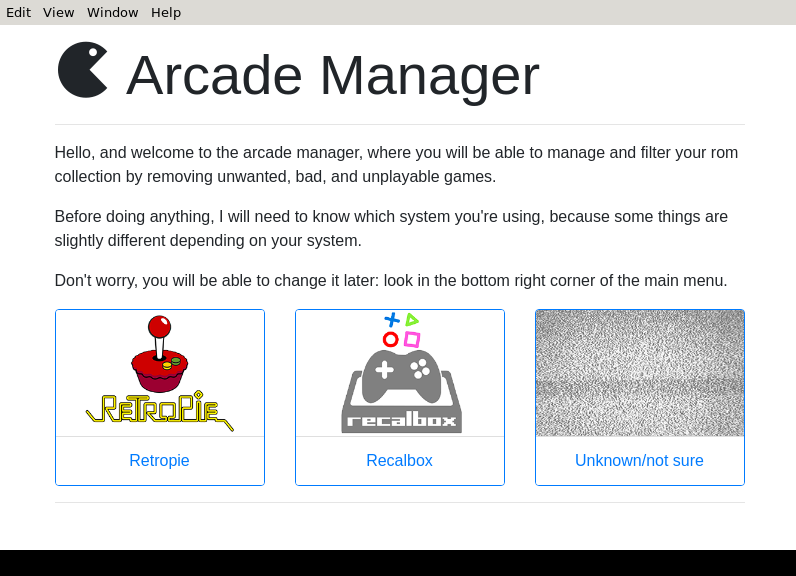
Arcade Manager is a tool designed to help manage and organize arcade game collections on Batocera. It allows users to filter, sort, and update arcade ROMs, ensuring compatibility with various arcade emulators.
¶ 📥 Installation
Arcade Manager can be installed via Batocera Unofficial Add-Ons (BUA). To install:
- Open Batocera Unofficial Add-Ons from the Ports menu.
- Browse the available add-ons and locate Arcade Manager.
- Select Install and wait for the installation to complete.
- Once installed, Arcade Manager will be available in F1 Applications.
¶ 🎮 How to Use
- Navigate to F1 Applications in Batocera.
- Locate Arcade Manager and launch it.
- Select Unknown/Not Sure.
- Scan your arcade ROMs directory for available games.
- Sort and filter games based on region, genre, and emulator compatibility.
- Apply updates and fixes to improve ROM performance.
¶ ⚙️ Configuration
- ROM Management: Organize and filter arcade ROMs.
- Emulator Compatibility: Ensure games run on the correct arcade emulator.
- Metadata & Artwork: Download and apply game artwork and metadata.
- Performance Optimization: Apply recommended settings for smooth gameplay.
¶ 🛠️ Troubleshooting
| Issue | Solution |
|---|---|
| Arcade Manager not launching | Re-run the installer, check the troubleshooting guide for more help. |
| Games not appearing | Ensure ROMs are placed in the correct directory and scan again. |
| Emulator not loading games | Verify emulator settings and ROM compatibility. |
| Artwork missing | Refresh metadata and check network connectivity. |