¶ GParted Add-On Guide
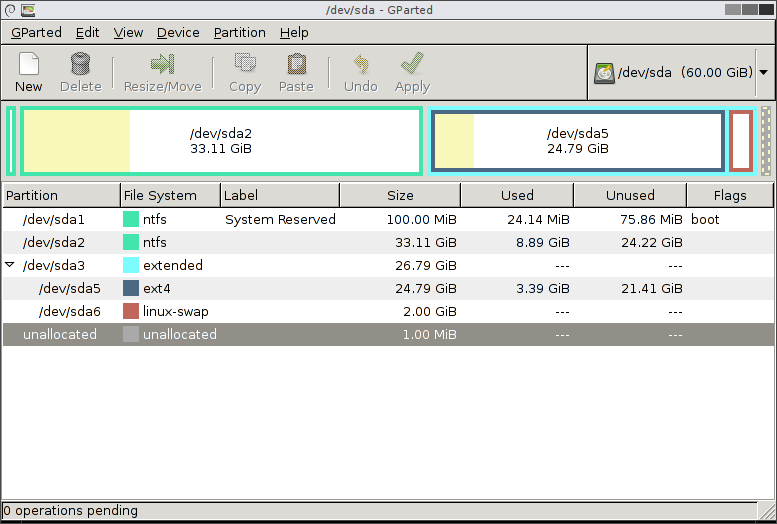
GParted (GNOME Partition Editor) is a powerful open-source tool for managing disk partitions. It allows users to create, resize, move, and format partitions on storage devices.
¶ 📥 Installation
GParted can be installed via Batocera Unofficial Add-Ons (BUA). To install:
- Open Batocera Unofficial Add-Ons from the Ports menu.
- Browse the available add-ons and locate GParted.
- Select Install and wait for the installation to complete.
- Once installed, GParted will be available in F1 Applications.
¶ 🛠️ How to Use
- Open F1 Applications in Batocera.
- Locate GParted and launch it.
- Select the storage device you want to manage.
- Perform operations such as creating, resizing, moving, or formatting partitions.
- Apply changes and wait for the process to complete.
¶ ⚙️ Features
- Partition Management: Create, resize, move, and delete partitions.
- File System Support: Works with ext2/ext3/ext4, NTFS, FAT32, and more.
- Data Preservation: Resize partitions without losing data (when supported).
- Backup & Recovery: Check and repair file system errors.
¶ 🛠️ Troubleshooting
| Issue | Solution |
|---|---|
| GParted not launching | Re-run the installer, check the troubleshooting guide if the issue persists. |
| Partition changes not applying | Ensure no applications are using the drive. |
| File system errors | Run a disk check and repair before proceeding. |
| External drive not detected | Reconnect the drive and refresh GParted. |