¶ ShadPS4 Add-On Guide
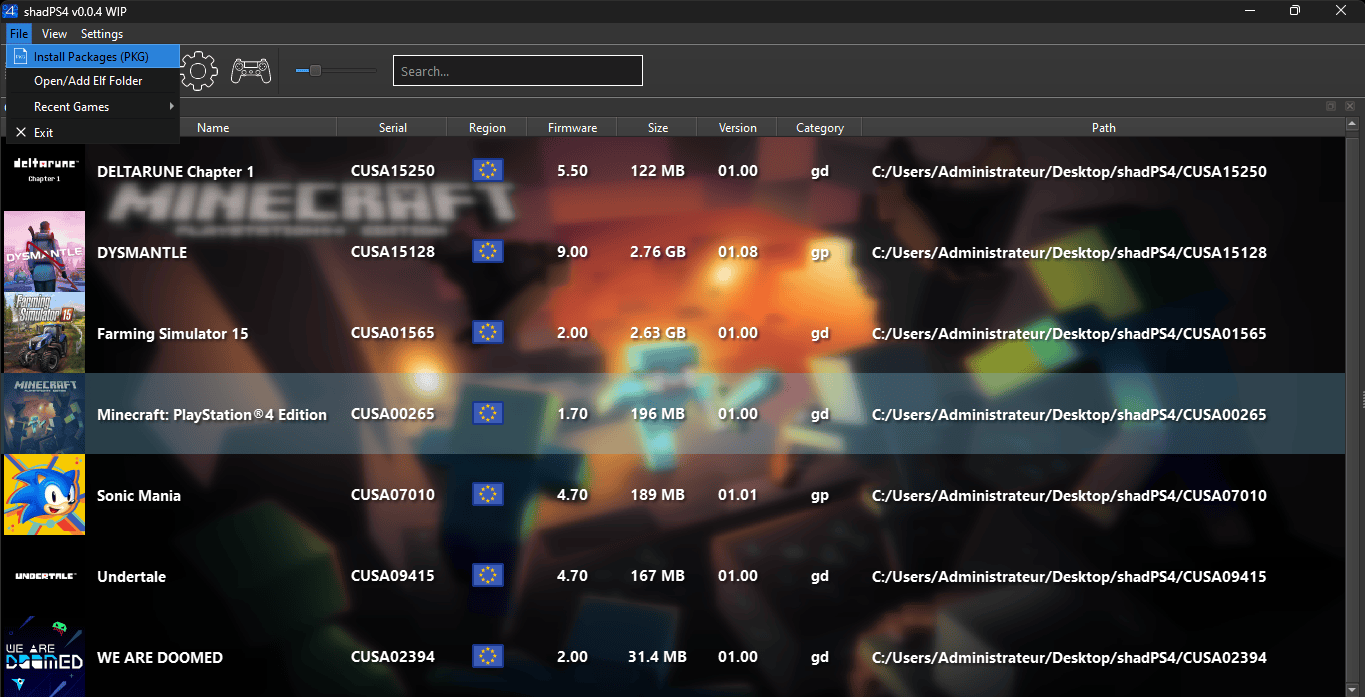
ShadPS4 is an experimental PlayStation 4 emulator for Batocera. It allows users to run PS4 games on compatible hardware with ongoing development for improved performance and compatibility. It provides compatibility tweaks, shader optimizations, and performance improvements for running PS4-related applications.
¶ 📥 Installation
ShadPS4 can be installed via Batocera Unofficial Add-Ons (BUA). To install:
- Open Batocera Unofficial Add-Ons from the Ports menu.
- Browse the available add-ons and locate ShadPS4.
- Select Install and wait for the installation to complete.
- Once installed, ShadPS4 will be available in your system tools.
¶ 🎮 How to Use
- After installation, navigate to F1 Applications in Batocera.
- Locate ShadPS4 and launch it.
- Install PS4 game packages to
/userdata/roms/ps4through ShadPS4. - Once installed, games will appear in the PS4 menu in EmulationStation (ES).
- Select and launch your game from the PS4 menu.
¶ ⚙️ Configuration
- Game Installation: Install PS4 games in
/userdata/roms/ps4. - Controls: Supports keyboard, gamepad, and DualShock controllers.
- Graphics Settings: Adjust resolution and performance settings, toggle full screen here to launch games full screen via ES.
- Compatibility Fixes: Enable experimental tweaks for better game support.
- Shader Enhancements: Improve rendering quality and stability.
- Performance Tweaks: Adjust frame pacing and system optimizations.
- Compatibility Fixes: Enable specific settings for better game support.
- Logging & Debugging: View logs for troubleshooting emulation issues.
¶ 🛠️ Troubleshooting
| Issue | Solution |
|---|---|
| ShadPS4 not launching | Re-run the installer, check the troubleshooting guide if issue persists. |
| Poor performance | Adjust shader settings or disable certain enhancements. |
| Game not launching | Ensure the game is supported by checking the compatibility list online. |
| Game not rendering properly | Try different shader presets or compatibility options. |
| Crashes on startup | Ensure system requirements are met and update your emulator. |