¶ Tailscale Add-On Guide
Tailscale is a secure, zero-configuration VPN that allows users to connect devices across the internet using WireGuard-based encryption. It enables remote access and secure networking on Batocera.
¶ 📥 Installation
Tailscale runs as a background service and can be installed via Batocera Unofficial Add-Ons (BUA). To install:
- Open Batocera Unofficial Add-Ons from the Ports menu.
- Browse the available add-ons and locate Tailscale.
- Select Install and wait for the installation to complete.
- During installation, a link will be provided—you must visit this link to authorise adding Tailscale to your account. The install script will not proceed without authorisation.
- Once completed, Tailscale will automatically run in the background.
¶ 🔧 Setup Instructions
- After installation, ensure Tailscale is running in the background.
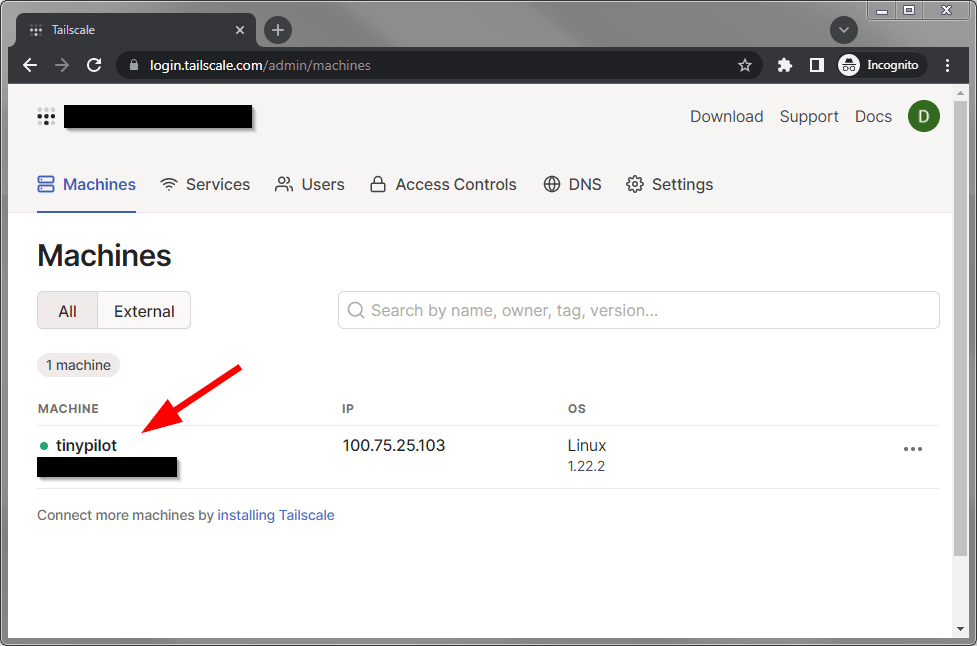
- Use the Tailscale Admin Console to manage connected devices.
- Securely access Batocera from another device by using Tailscale’s assigned IP address.
- Configure access rules and permissions based on your network needs.
¶ ⚙️ Configuration
- Device Management: Monitor and control connected devices via the Tailscale web interface.
- Private Networking: Access Batocera remotely through an encrypted tunnel.
- DNS & Subnet Routing: Enable advanced networking features for a custom setup.
- Access Control: Restrict or allow specific devices on your Tailscale network.
¶ 🛠️ Troubleshooting
| Issue | Solution |
|---|---|
| Tailscale not connecting | Verify that the installation was authorised during setup. Restart Batocera if needed. |
| Unable to access Batocera remotely | Check network settings and ensure Tailscale IP is reachable. |
| Installation stuck | Ensure you have authorized Tailscale using the provided link. |
| Slow connection | Optimize Tailscale settings or use a wired connection for better performance. |